
What Is a WMS, and Which Businesses Should Adopt One?
A practical introduction to the warehouse management system: how it works, what it does beyond stock records, and the signs that your business is ready to move from spreadsheets to a real warehouse system.
Published
Covers receiving, put-away, picking and shipping in one flow.
Ties each item to a storage location and lot so it can be found instantly.
Branches, warehouse, sales and accounting work from the same live data.
Accurate stock data is what makes ERP, purchasing and reports reliable.
What a WMS is and why a warehouse needs one
A WMS (Warehouse Management System) controls every activity inside the warehouse: receiving goods, assigning storage locations, picking against orders, shipping, and cycle counting. Its purpose is to keep the physical stock and the system record in agreement at all times, and to make everyone work through the same steps.
What "warehouse" means to a WMS
A WMS across one day in the warehouse
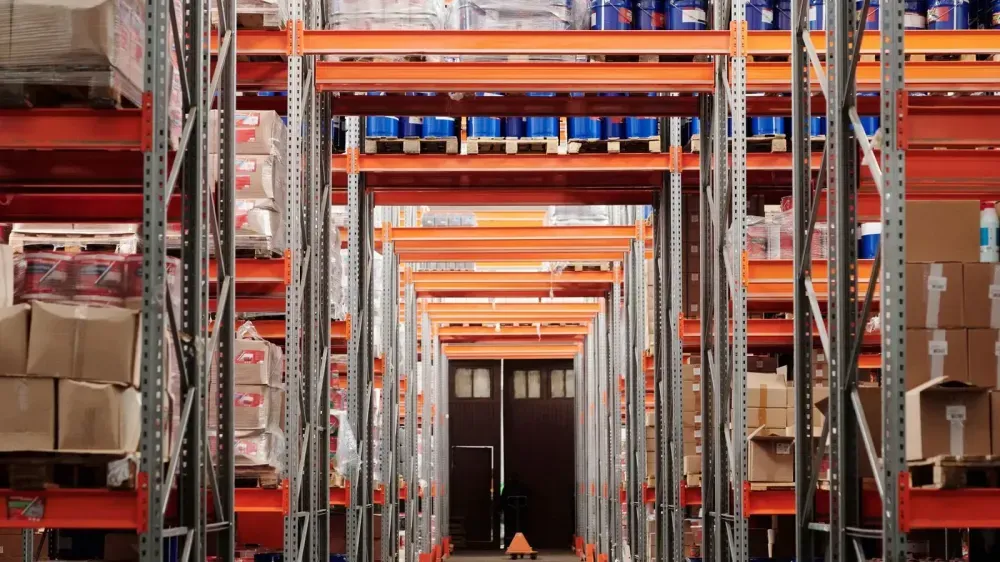
The WMS is attached to every point where goods move. Staff scan a barcode or RFID tag at receiving, and the system records how much arrived and in which lot, then suggests an open storage location. When a sales order arrives, it points to the location to pick from in the shortest walking sequence and deducts stock the moment the scan is confirmed.
The core cycle a WMS manages
- Receiving: match the purchase order against what actually arrived, then book it in with lot and expiry
- Put-away: recommend open locations so space and racking are used well
- Pick and pack: sequence the pick walk to cut backtracking and wrong-item picks
- Transfer and ship: track moves between zones and deduct stock as goods leave
- Count: compare physical counts with the system and surface the variances at once
How a WMS differs from ordinary stock software
Ordinary stock software only remembers how much is left and asks staff to type the number in. A WMS starts earlier than that: it requires every movement to be captured at the point of work by scanning, so the data comes out of the process instead of being keyed in afterwards. That difference is what lets the record and the shelf agree every day.
Why the difference matters
Stock software answers "how much is left". A WMS answers what the business actually needs: which location, which lot, who received it, who picked it, and which item should go out first so nothing sits until it expires.
Which businesses should adopt a WMS
Not every business needs a WMS on day one. But as item counts, storage locations and sales channels grow, paper and spreadsheets eventually become the bottleneck, and the return on a WMS grows with every month. These groups tend to see the benefit fastest.
Groups that see results first
- Operations with thousands of items across many locations, beyond what anyone can memorise
- Businesses with several branches or warehouses that transfer stock between sites regularly
- Businesses that must track lots or expiry dates, such as food, beverage, pharma and chemicals
- Operations that count frequently or carry fast-moving stock with frequent model changes
- Businesses that are expanding and want the process standardised before adding sites
The signs that it is time to move on from spreadsheets
Many businesses wait until the problem is large before looking for a system. These signals show that the hidden cost of the current process has already overtaken the cost of fixing it, and that starting now is cheaper than starting after the problems compound.
Signals seen on the floor
- The system record and the physical count disagree routinely, and finding out why takes days
- Staff spend long stretches searching for items or asking each other which zone they are in
- Stockouts and dead stock appear in the same month
- Month-end closing is slow because figures must be gathered from several manual files
- No one can tell a customer immediately whether an item is ready to ship
How to start with a WMS without stalling
Failed WMS projects are rarely about the software. They fail because the starting data is not ready and the scope is too wide. The approach that works is to define a tight scope, start with the warehouse or process that hurts most, and expand once the team is comfortable with the new steps.
Starting rules that hold up
- Standardise item codes and storage locations before go-live
- Start with one warehouse or one process so the team sees results quickly
- Name a single owner for master data
- Define how counts are checked after go-live, so variances are caught early
- Plan floor training: the system only works when every movement is actually recorded
Let our engineers pick the right hardware and labels for your site
Send us a sample or describe your site and the iStock Express team will run the tests and report back before you invest.